On This Page
Overview
The Media Library at /site_admin/media_library
is your centralized hub for managing all images, documents, and files.
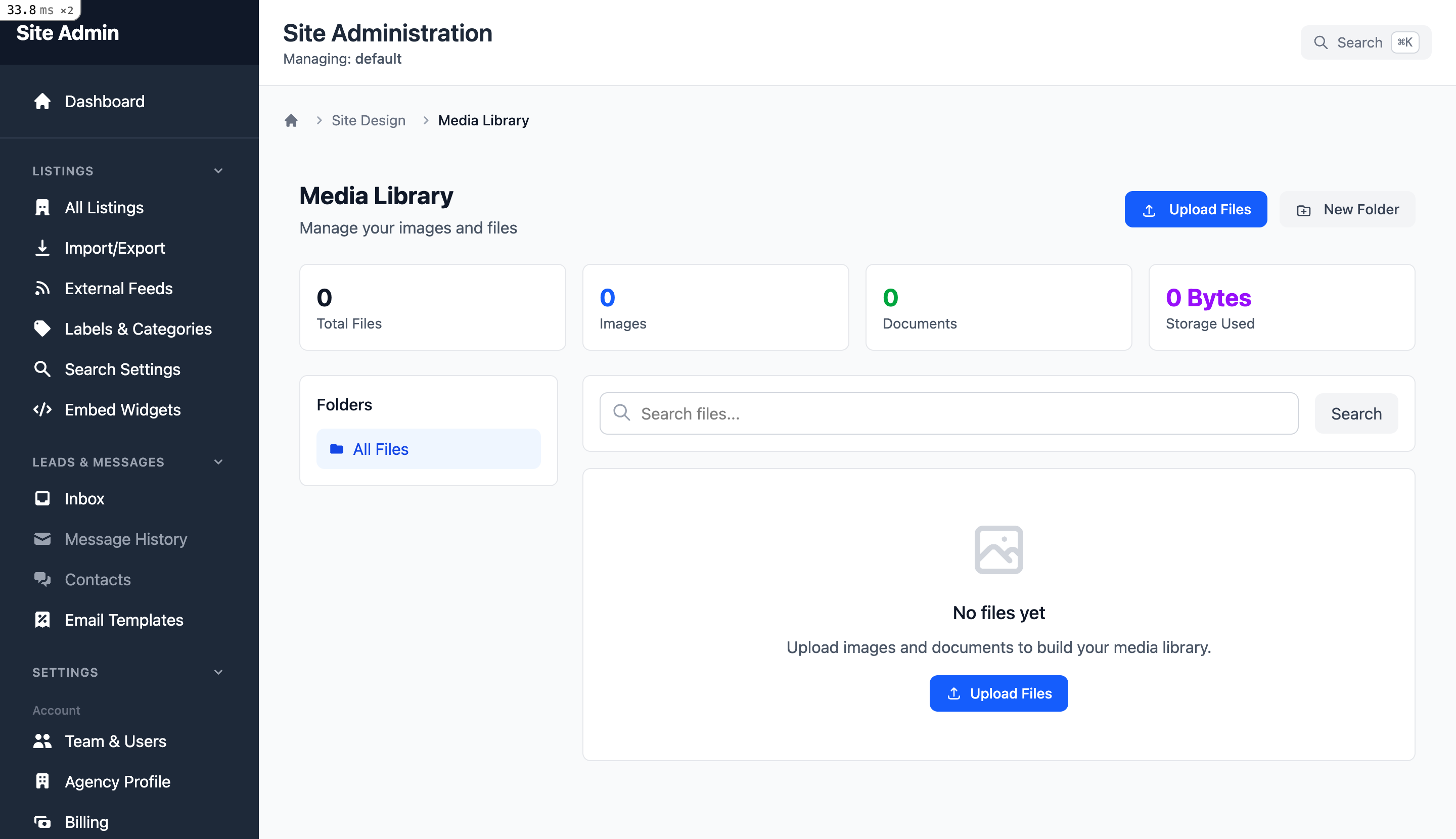
Uploading Files
Drag and drop files here
or click to browse
Supported File Types
Images
JPEG, PNG, WebP, GIF, SVG
Documents
PDF files
Videos
MP4, WebM, and more
Other
Various media types
File Size Limits
File size limits depend on your subscription plan. Check Storage Stats for current usage.
Folder Organization
Create folders to organize your media files.
Managing Folders
- Create: Click "New Folder" to create a new folder
- Rename: Click on folder name to rename
- Delete: Only empty folders can be deleted
- Navigate: Use breadcrumbs to navigate
Organizing Media
File Information
Each file can have:
Title
Custom title for the file
Alt Text
Accessibility description for images
Description
Detailed description of the file
Tags
Keywords for organization
Searching
Search by filename, title, description, or tags to find files quickly.
Bulk Operations
Select multiple files to perform bulk actions.
Bulk Delete
Select multiple files and delete them at once
Bulk Move
Move multiple files to a different folder
Hold Ctrl (or Cmd on Mac) and click to select multiple files. You can also click and drag to select a range.
Storage Management
Monitor your storage usage at /site_admin/storage_stats
Storage Overview
- Total files uploaded
- Total attachments
- Total storage used
Orphan Management
- Orphaned blobs (unreferenced)
- Recent orphans (< 24h)
- Old orphans (> 24h)
Cleanup Operations
Remove orphaned files to free up storage space:
- 1. Go to Storage Stats
- 2. Review orphaned files count
- 3. Click "Queue Cleanup Job" to remove old orphans
- 4. Monitor cleanup progress